Product Update: Custom Tags
Organize and filter your candidates with custom tags. Add your own labels to keep pipelines clear and find the right people faster.

Custom Tags
Kara Amantoy & Diego Carvallo March 16, 2026
Two weeks of shipping. Four features live for your team, four fixes under the hood. Here's what changed.
Available now
Tag candidates to segment your pipeline your way
You can now add custom tags directly to candidates in your workspace — things like preferred clinic locations, shift preference, or specialty interest. Tags are multi-value, so a candidate can carry more than one. Use them to build more meaningful views and stop relying on spreadsheets to track what matters to you.
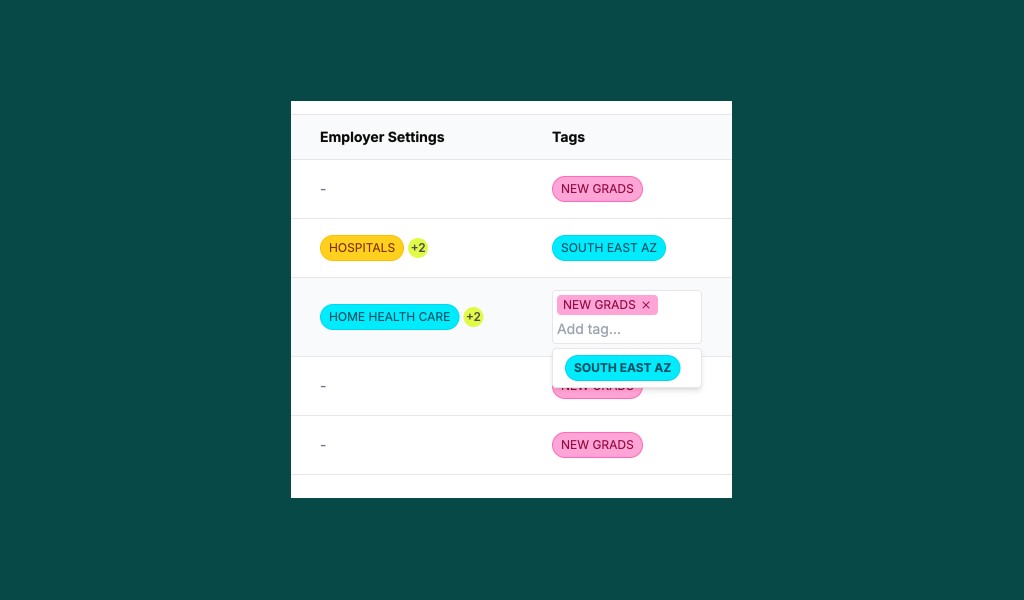 Add and manage custom tags — create one or multiple or update in bulk
Filter candidates by tag values
The filters modal now surfaces your tag values as selectable options, so you can instantly narrow a list to "north east" + "2026 grad" without remembering exact text. Great for building targeted outreach lists from a large candidate pool.
Flag bad data and request a credit review
If a candidate's contact information - or any other data field - turns out to be wrong or unreliable, you can now flag it directly in Pickle. Our team will review the flagged record and, where warranted, issue a credit refund. No more eating the cost of bad data silently.
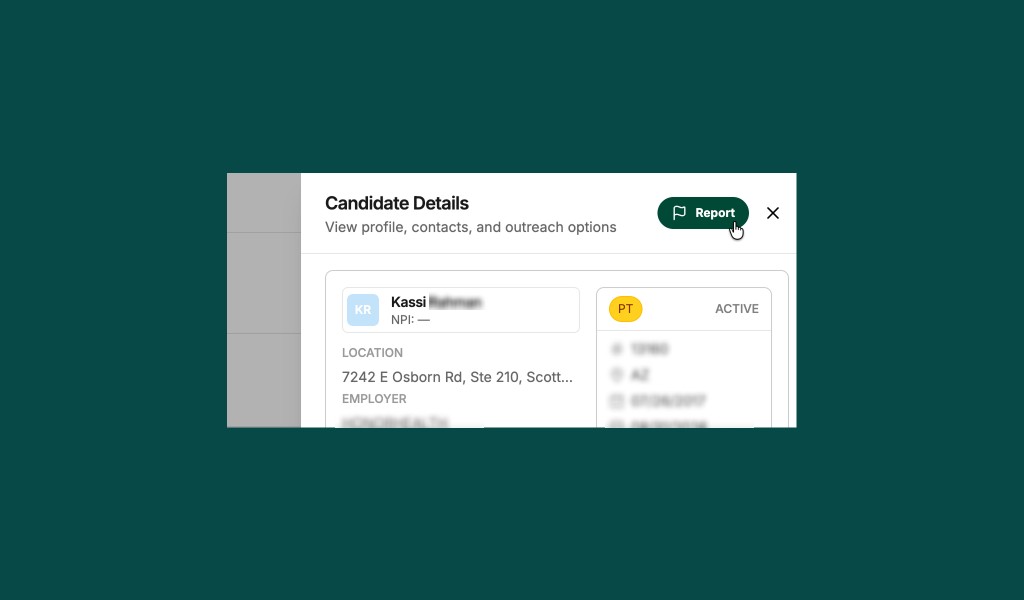 Report bad data from the Candidate Details panel — we'll review and refund when warranted.
ATS exports no longer blocked by missing emails
Previously, candidates without a confirmed email address couldn't be exported to your ATS. Now they go through with a placeholder so the record is created — and you can update contact details directly in your ATS once you have them. No more export failures holding up your pipeline.
Fixes and stability
- Tags appear immediately - new tags show up in tables and pickers right after creation, no page refresh needed
- Tag filters match correctly - multi-tag filtering now behaves as expected across all candidate views
- Org switching is stable - switching between organizations no longer causes cache errors or surfaces wrong-org data
- Tooltips work reliably - metric and field label tooltips now display consistently across the UI
Thanks for the feedback that shapes these improvements!