Product Update: Contact Notifications, List Search, and a Faster Pickle
Know the moment contact info is ready, find any candidate across all your lists, filter by validated specializations, and move through Pickle faster with fewer clicks.

Contact Notifications, List Search, and a Faster Pickle
Kara Amantoy & Diego Carvallo November 10, 2026
This update covers everything we've shipped since late August. Most of it came from our weekly check-ins with recruiting teams, and the asks were consistent. Don't make me enter candidates twice. Tell me when contact info is ready. Help me find someone I've already sourced. And get out of my way: fewer clicks, less waiting. Here's what changed.
Available now
Know the moment contact info is ready
Every contact info request now shows up in your notifications with its status as it changes: Searching providers, In manual review, can take up to 24 hours, Contact info ready or Nothing found. Request contact info for a whole batch and you see a single running tally, such as how many have finished, how many were found and how many are in review. You don't have to keep reopening profiles to check.
When a lookup needs a person to verify it, you'll see that it's in manual review instead of wondering whether it stalled. Recruiters keep telling us they would rather wait for an accurate number than get a fast wrong one, so we've kept people in that loop.
For larger requests, turn on Batch contact info requests in your notification settings. You'll get an email when the whole batch finishes, so you can start a big request and come back to it later.
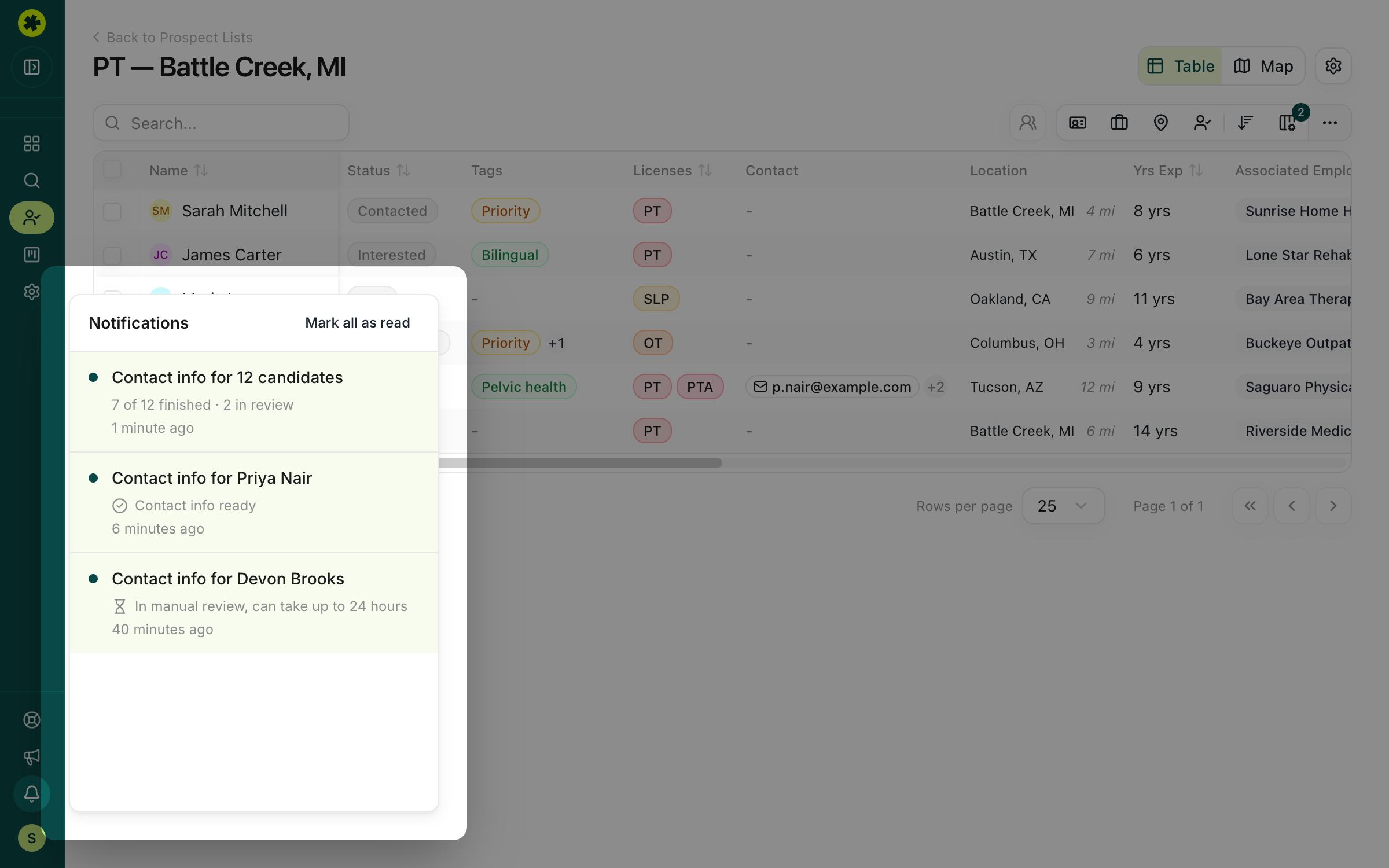 One running tally for the whole batch, right in your notifications.
- No more opening profile after profile to see whether the numbers came back.
Find any candidate across all your lists
The search bar on Prospect Lists now looks inside your lists, not just at their names. Search a name, an email, a license number or an employer, and a Prospect matches panel opens beside your lists. It shows every list that candidate is already on. Click Open in list to jump straight to them.
The Prospect Lists page itself got easier to scan, too:
- Every list shows its owner by name and photo.
- Timestamps read like "4 months ago".
- Candidate counts sit right next to each list name.
- A single toggle shows or hides archived lists.
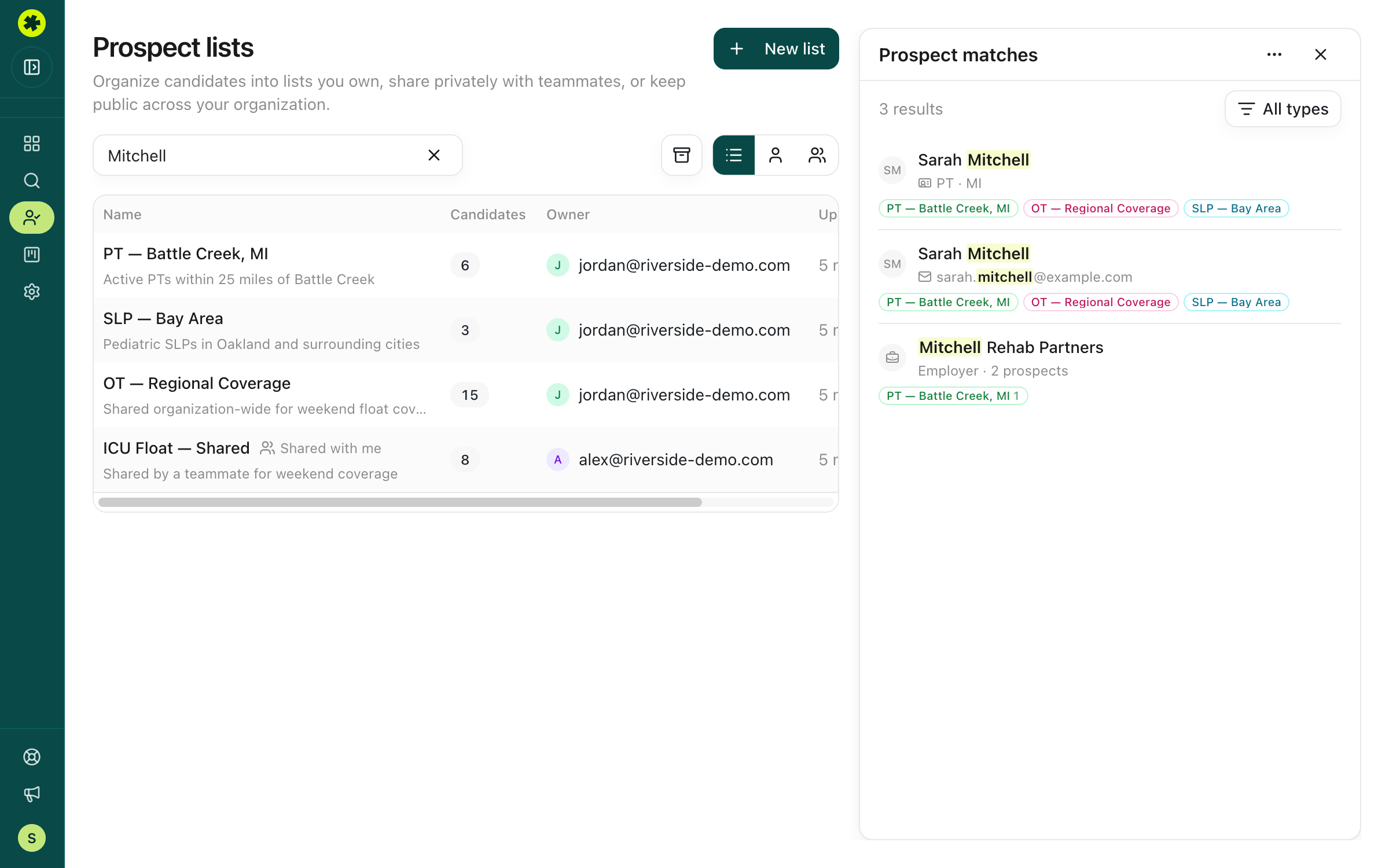 Search once and see every list a candidate is already on.
- No more two recruiters reaching out to the same clinician without knowing it.
Find the specialist you need, without guessing how they're labeled
Specialization data used to be messy. It came from many different sources, and each one described the same specialty its own way, so pelvic health might appear as "Pelvic and Women's Health" on one profile and something else on the next. Searching for a specialty meant guessing every variation, and you could still miss qualified clinicians who were labeled differently.
We've cleaned that up. Every specialization in Pickle now maps to one standard list, based on the national NUCC provider taxonomy. Where a specialty matters to therapy hiring but isn't in that taxonomy, such as Pelvic Floor, we added it ourselves and marked it with a Pickle badge. Pick a specialty once and you get everyone who has it, however their source described it.
The new Specialization filter in search makes that easy to use:
- Type what you're hiring for: search by specialty name and pick it from the list, no exact wording required.
- Go as broad or as narrow as the role needs: choose a single specialization, or pick a whole grouping and everything under it comes along.
- See the full picture on each candidate: every work setting on file now shows in search tables and on the candidate card, not just the first one.
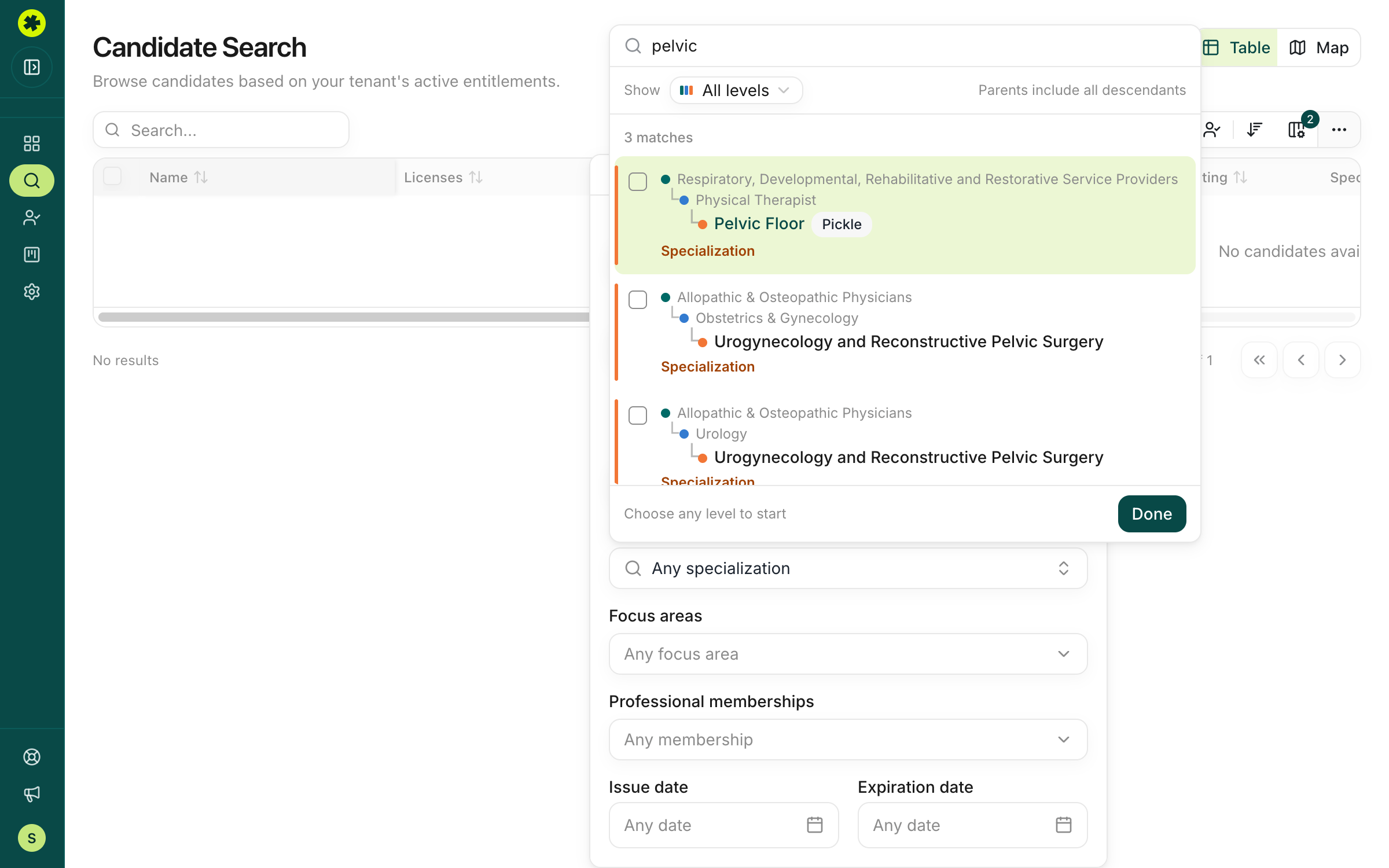 One clean list of specialties, from broad groupings down to the exact specialization.
- No more running the same search five ways to catch every label.
Move and clean up prospects in bulk
Bulk actions on a prospect list now include Move to and Remove from list, alongside tagging and status updates. Select a batch, send it to another list or clear it out, all in one step. Contact info requests handle large selections too, with big batches split up and processed for you behind the scenes.
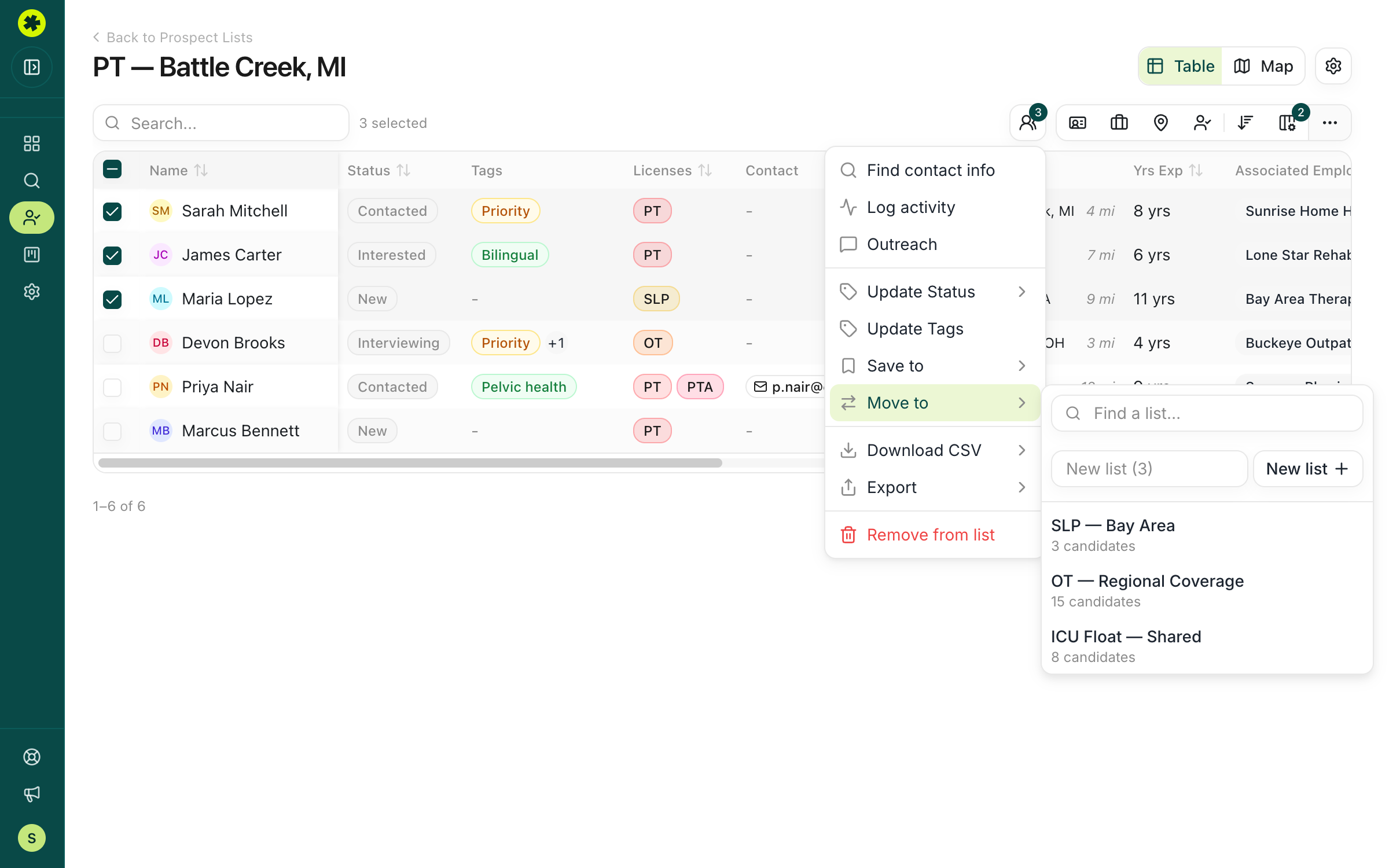 Reorganize a whole selection at once.
Tags that keep your views clean
Tags became more useful in three ways:
- Ready from the first click: the tag picker now opens with the tags most teams need: "Do Not Contact", "Not Interested", "Current Employee", "Priority" and "Warm Lead".
- Suggested as you write: when you log a note, Pickle suggests matching tags under Suggested tags. If you write that a candidate isn't interested, the tag is one click away.
- Exclude in one click: the new Exclude tags filter drops anyone carrying a tag such as "Current Employee" or "Do Not Contact" from a view.
The result: your current staff and do-not-contacts stay out of your outreach without anyone having to remember them.
Discard bad contact info so nobody reuses it
On the Reach Out tab, you can now Discard contact on any email or phone number that's wrong or not useful. Pick a reason (Wrong contact, Not reachable, Not preferred or Other) and add a short note. The contact is hidden for your whole team, and you can restore it if you change your mind. Report wrong info is back on contact cards too, so you can flag bad data to us for review.
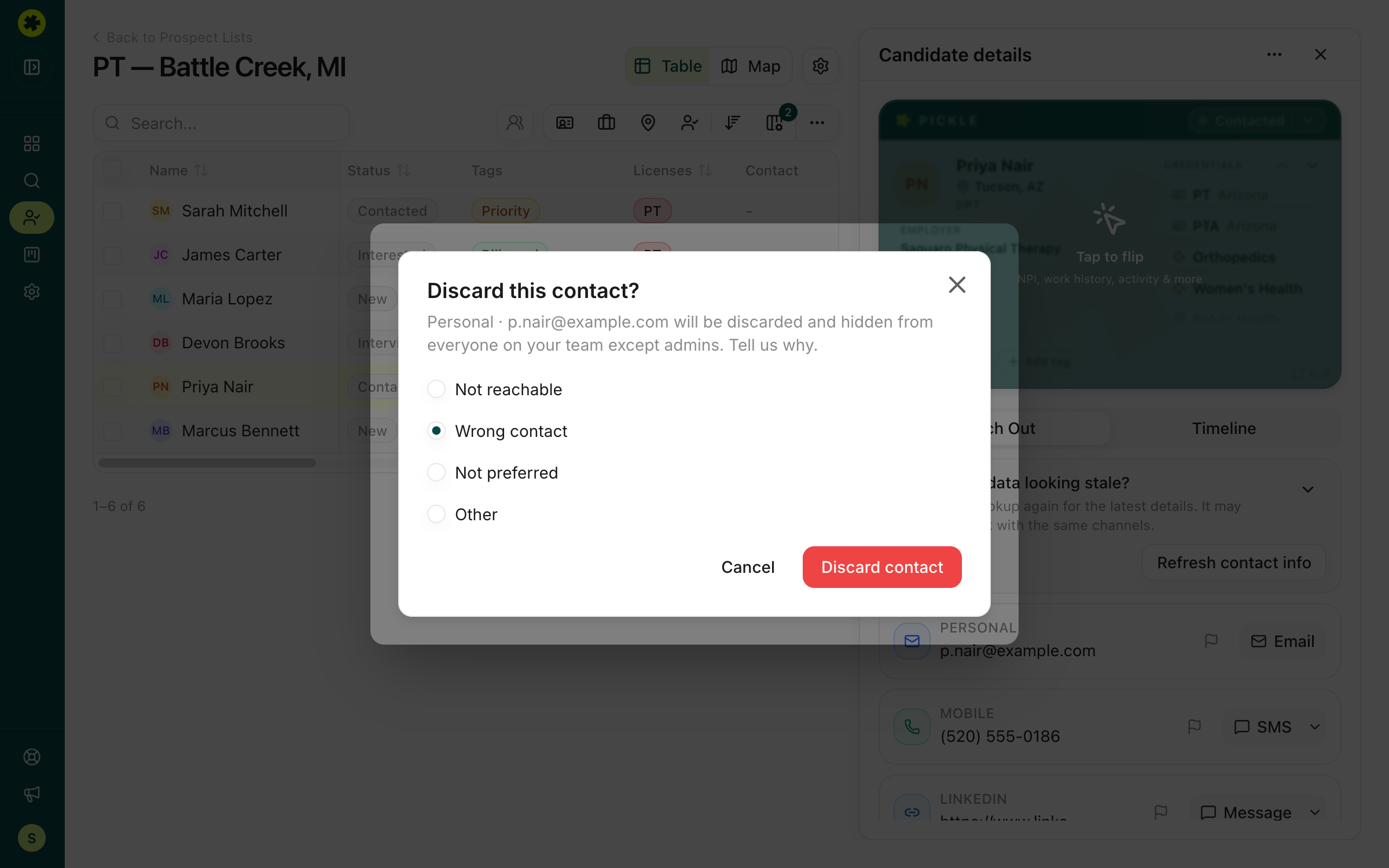 Bad data gets flagged once, not rediscovered by every teammate.
- No more teammates calling the same dead number.
See where your candidates are on a map
We redesigned the map view. Switch candidate search or a prospect list to Map to see where candidates are located. Hover over a pin for a quick preview, then open the profile from there. It's the fastest way to check a market or a commute radius before you start reaching out.
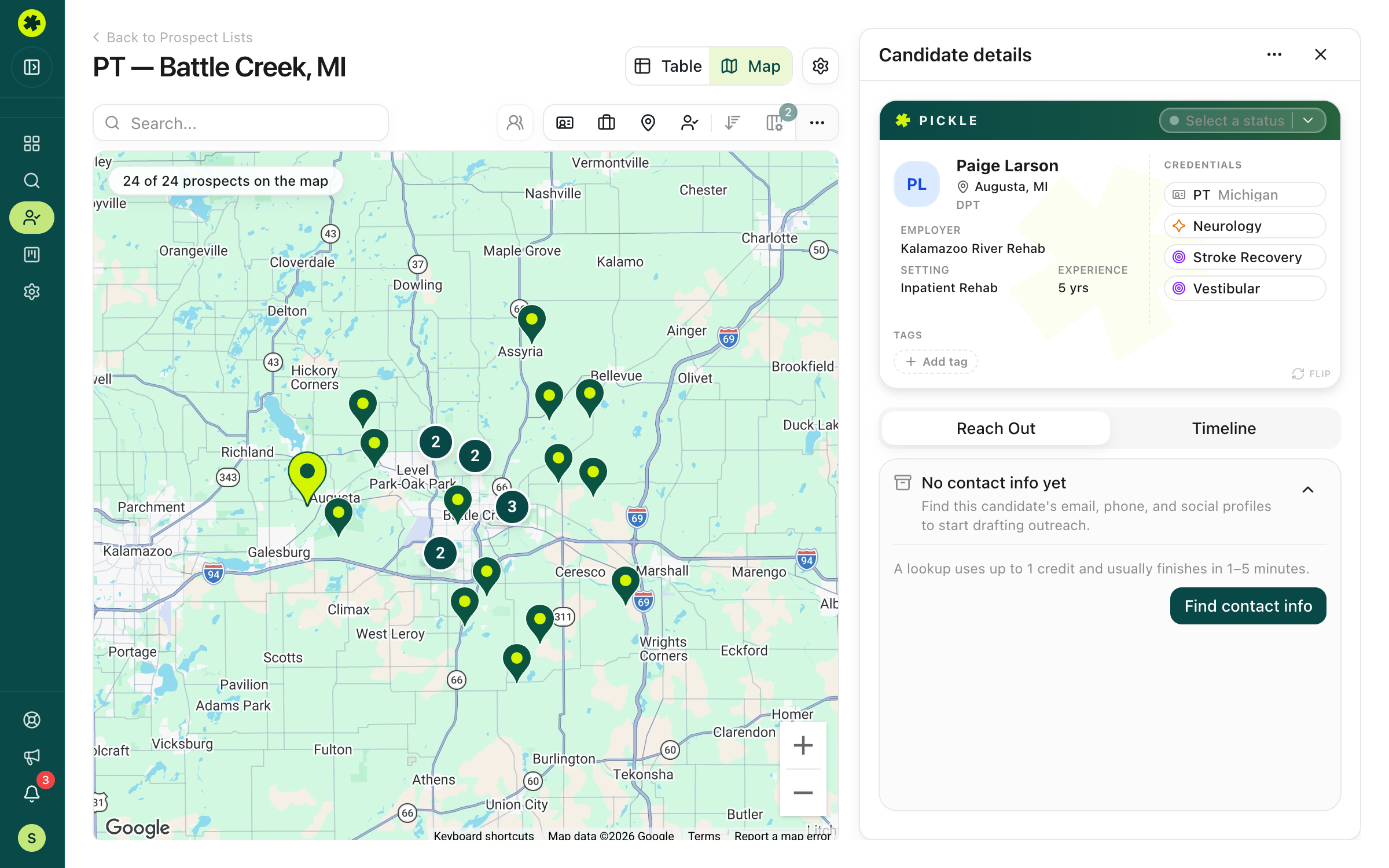 Check your market at a glance, then click straight into a profile.
Also shipped
- Support for more ATS and CRM systems: HubSpot and Ashby have joined our integrations, so candidates you find in Pickle land in the system your team already runs on.
- Exports that keep your pipeline accurate: prospects you export or download are marked Exported automatically. Mark as Exported is still there for anything you move by hand.
- Every open role in the picker: requisition pickers now load up to 500 open roles, newest first.
- Big exports go through: ATS exports of more than 100 prospects are split into smaller requests automatically, so large exports don't fail.
Faster, with fewer clicks
A lot of this round went into making the everyday parts of Pickle quicker:
- Faster filtered search: searches with several filters return results noticeably faster, and so do the filter counts beside each option.
- Quicker experience and distance searches: filtering by years of experience and sorting by distance no longer leave you waiting.
- No more scroll gymnastics: on wide tables, the horizontal scrollbar now stays pinned to the bottom of your screen. One recruiter told us he was scrolling down, across and back up for every candidate. That kicked off a wider push to cut clicks across the product.
- Contact requests that don't give up: a slow response from one of our data providers no longer causes your request to fail.
Coming soon
- AI search: describe who you're looking for in plain language, like "Active RNs within 30 miles of Denver with at least 5 years of experience", and Pickle turns it into filters
- Create a list from a file: upload a spreadsheet of names and license numbers, and Pickle matches them to candidates and builds the list for you
- Email outreach from your own inbox: send outreach from Pickle through your own email, so you aren't copying and pasting each message
Thanks for the feedback that shaped these improvements. Almost every item here started as a conversation on a check-in call. Keep them coming. We're staying focused on practical workflow speed, clarity and fewer clicks to complete core tasks.