Get a candidate's contact info
Unlock verified email and phone for a single candidate or a whole batch at once.
To reach a candidate you need their verified email or phone, and unlocking that is the one action in Pickle that spends credits — 1 credit per candidate. You can do it for one person or a whole batch.
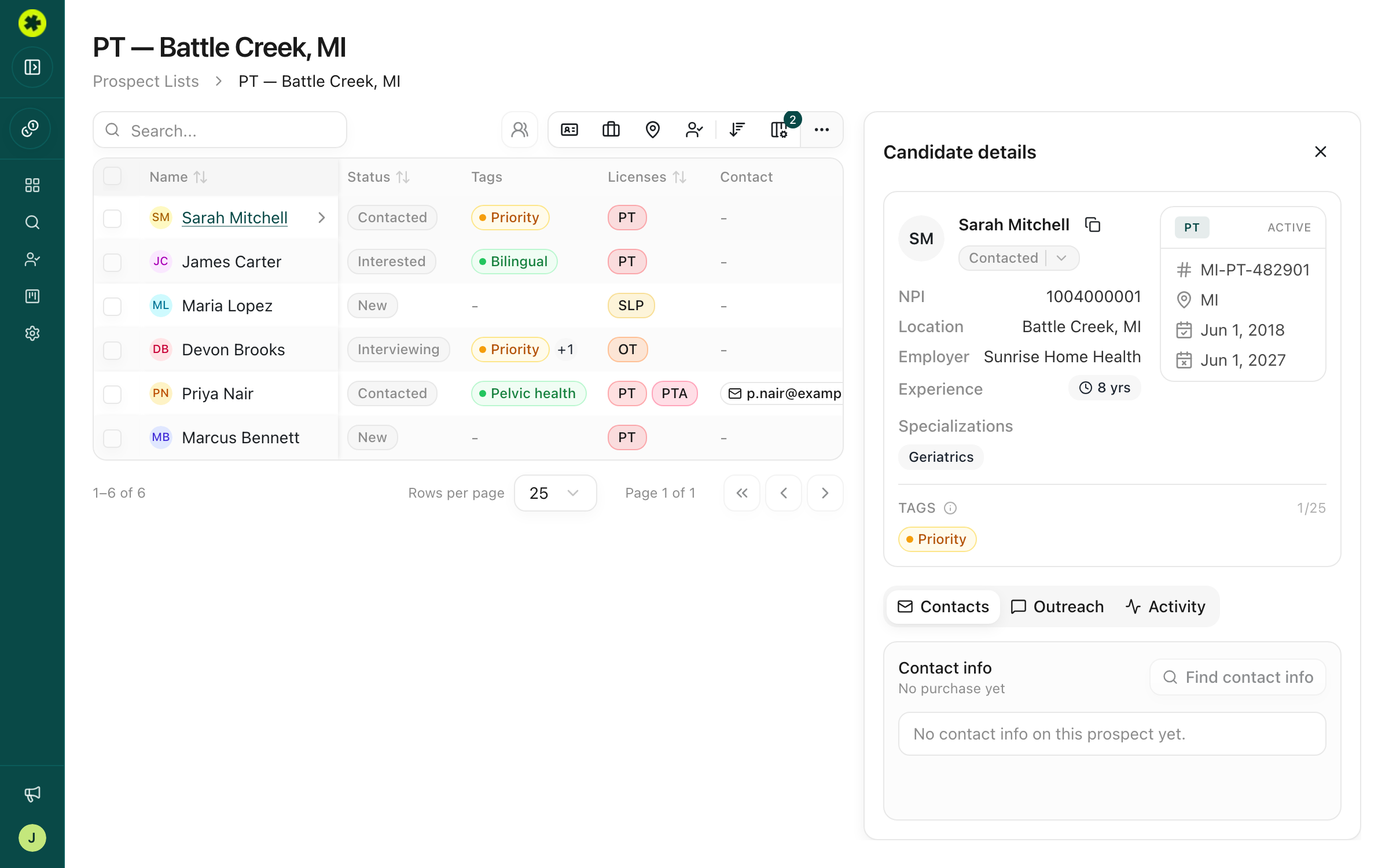
For a single candidate
Open a prospect list and click a candidate's row to open the Candidate details panel. On the Contacts tab (the first one), click Find contact info. A dialog confirms the cost ("…use up to 1 credit") — click Purchase contact info to confirm, or Cancel if you're just looking. Once it processes, their email and phone appear on the Contacts tab.
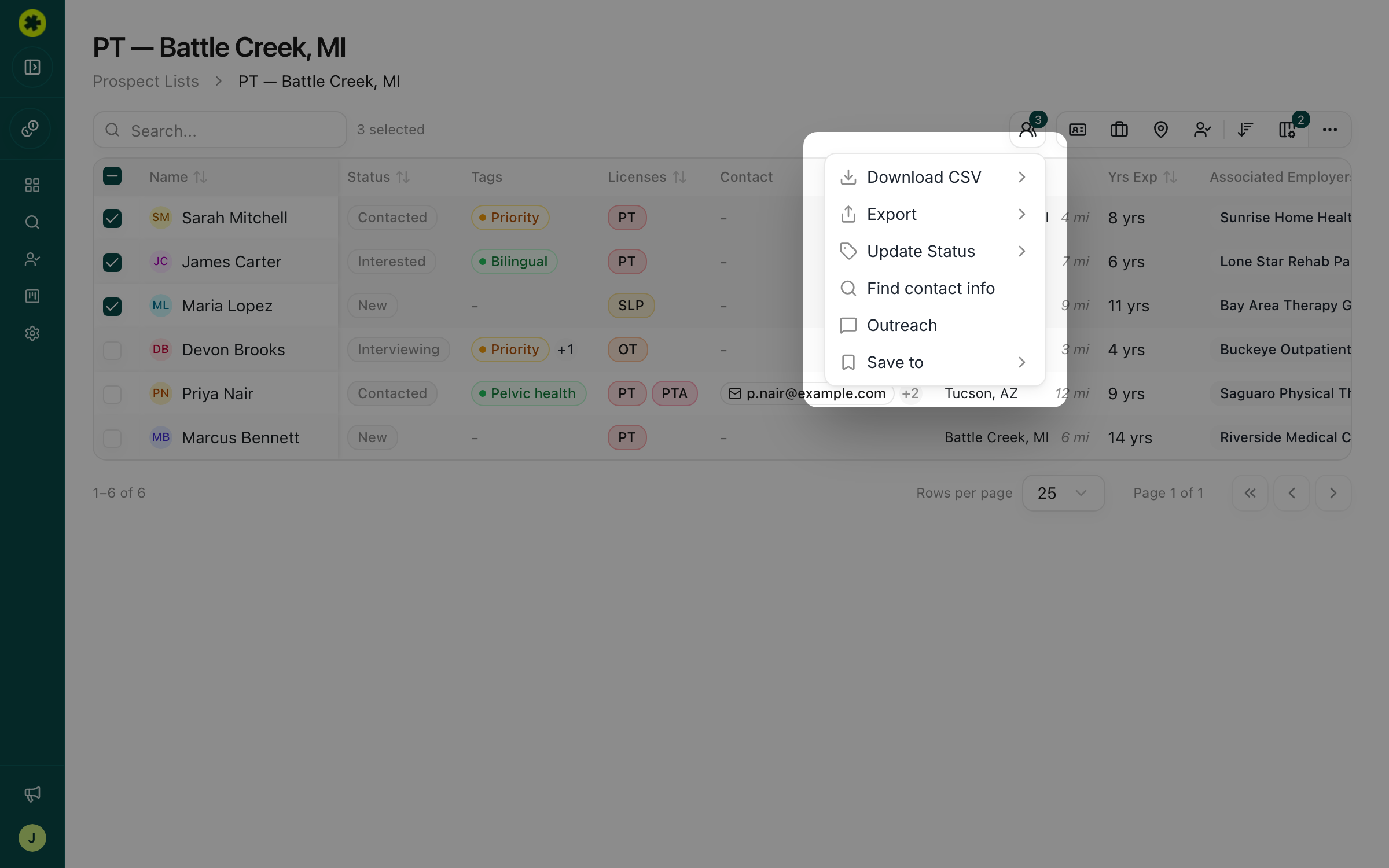
For several candidates at once
In the list table, check the box next to each candidate, then click Actions in the toolbar and choose Find contact info. The confirmation shows the total ("…for 3 selected candidates and use up to 3 credits"). Confirm to run the lookup for the whole selection.
What it costs
- 1 credit per candidate, charged when you confirm the purchase — not when data is found.
- One credit, whatever comes back. That single credit covers the whole lookup — whether it returns an email, a phone number, a LinkedIn profile, or several of them at once.
- No double charges. If a candidate's info was already purchased, running it again shows the existing data without spending another credit. In a bulk lookup, only the candidates who don't already have info are charged.
- Not everyone has data. Pickle searches third-party sources and returns what it finds, so some candidates come back with partial or no results.
Troubleshooting
I purchased contact info but no email or phone showed up.
Not every candidate has contact data available — the credit is spent on the lookup itself, whether or not data is found. If you expected results, try the lookup again; already-purchased candidates aren't charged a second time.
Will I be charged again if I click Find contact info twice?
No. Once a candidate's contact info is purchased, viewing it again — or re-running the lookup — doesn't spend another credit.
Some of the candidates I bulk-selected already had contact info.
That's fine — a bulk lookup only charges for the candidates who don't already have info. The confirmation dialog reflects the actual number that will be looked up.
Related articles
Understand credits and contact-data quality
Know how credits are spent, check your balance and usage, and set expectations for the contact data you get back.
Managing ProspectsBuild a shortlist of candidates to pursue
Save candidates from your search into a named list — one list or several — with duplicates handled automatically.
OutreachHow to reach out to a candidate
The three ways to contact candidates — one at a time, in bulk, or through your ATS — and how to choose.